
How to approve your RapidSSL certificate
Before your SSL certificate can be issued, you’ll need to approve a request to confirm that you control your website’s domain. It’s a simple process:
Check your email
The approval email will be sent to admin@yourdomain.com, with “yourdomain.com” replaced by your own domain name. For our setup, the admin@ part cannot be changed, so you’ll need to be able to receive emails at this address.
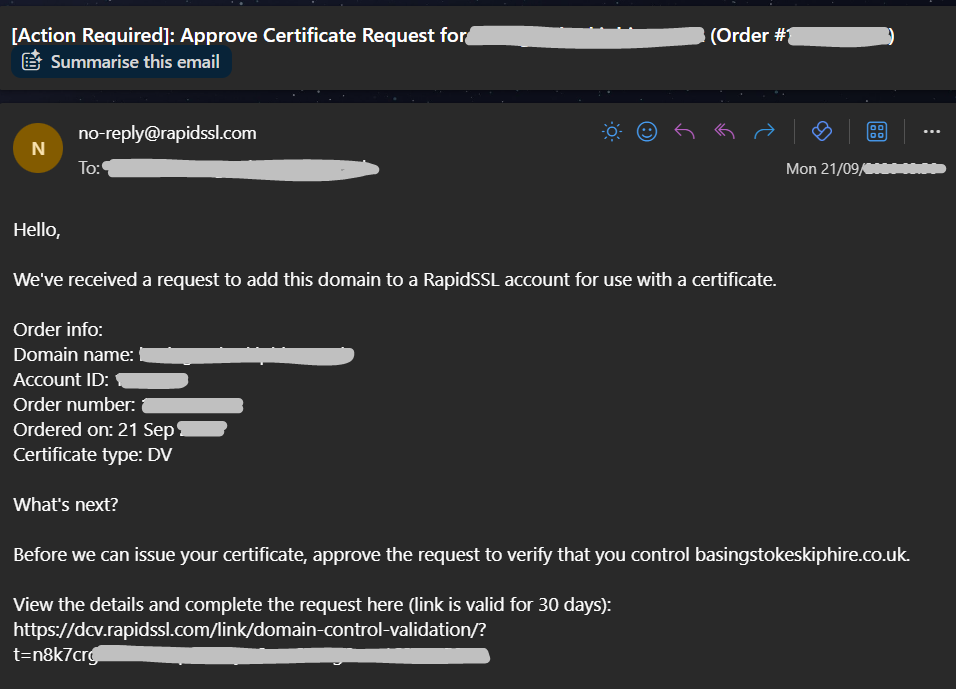
Open the approval link
Open the certificate approval email and click the link inside. If the link isn’t clickable, copy the full link and paste it into your browser’s address bar, then press Enter.
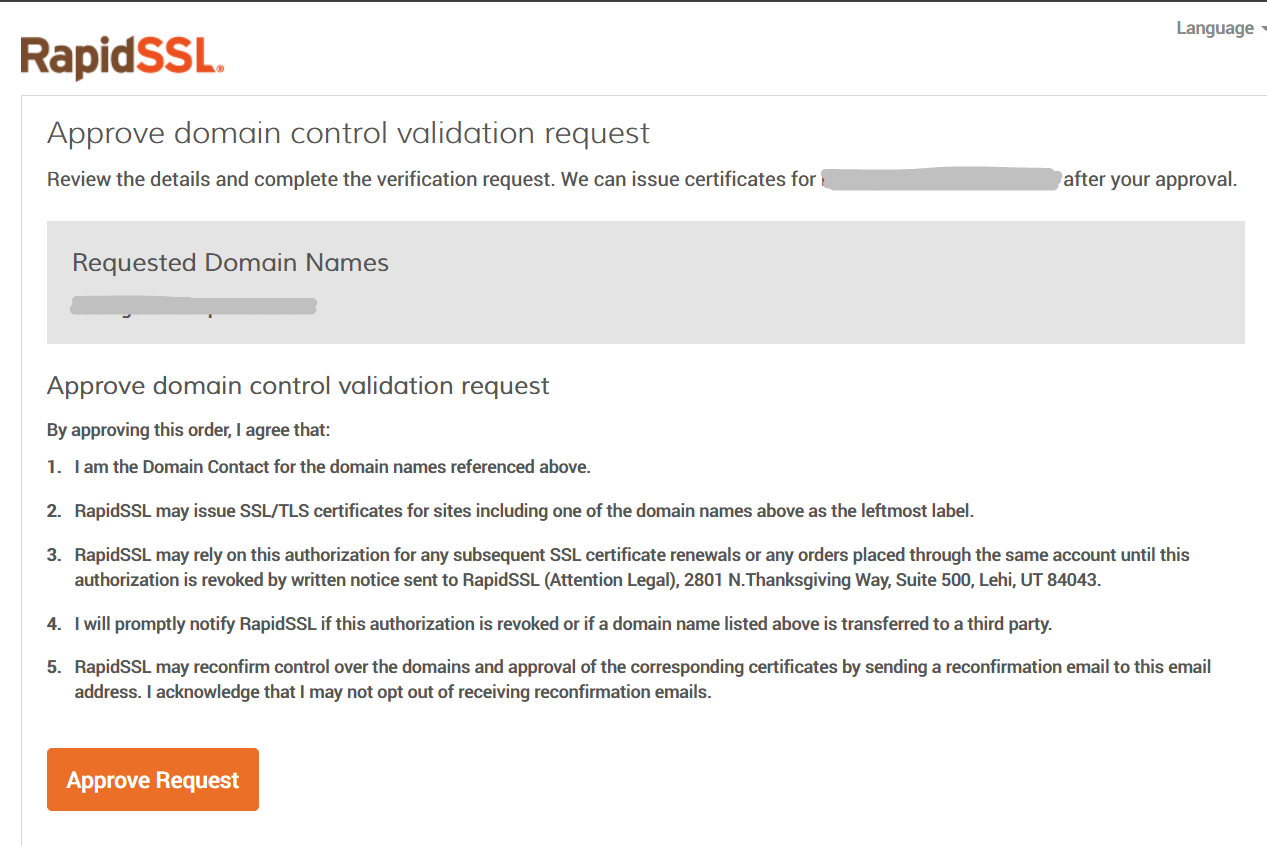
Click “Approve Request”
On the page that opens, check that the domain name is correct, review the information and click Approve Request. Opening the link alone does not complete the approval.
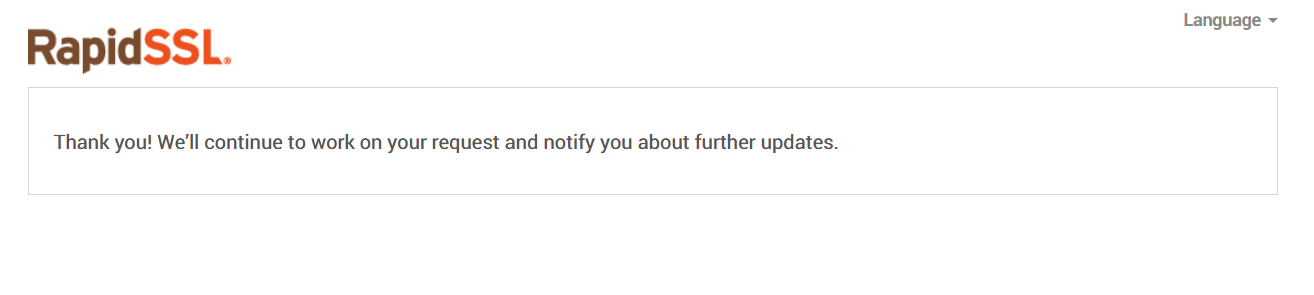
Once you’ve approved the request, your certificate can be issued.
Can’t find the email?
Check the junk or spam folder for admin@yourdomain.com. If it hasn’t arrived, you can’t access that address, or the approval link doesn’t work, contact us so we can help.